
Where Work Execution Becomes Operational Intelligence
WorkfloPlus turns your procedures into clear digital work instructions that capture evidence and data as each job is completed.
You can see who did what and when, prove the work was carried out correctly and use reliable work execution data to identify where improvements can be made.
Your Systems Have Blind Spots. WorkfloPlus Eliminates Them.
You’re managing critical operations with incomplete information. Your ERP shows materials, your scheduling system shows assignments, but neither tells you exactly what happened when the work was carried out.
You know what should happen. The harder part is knowing what actually happened.
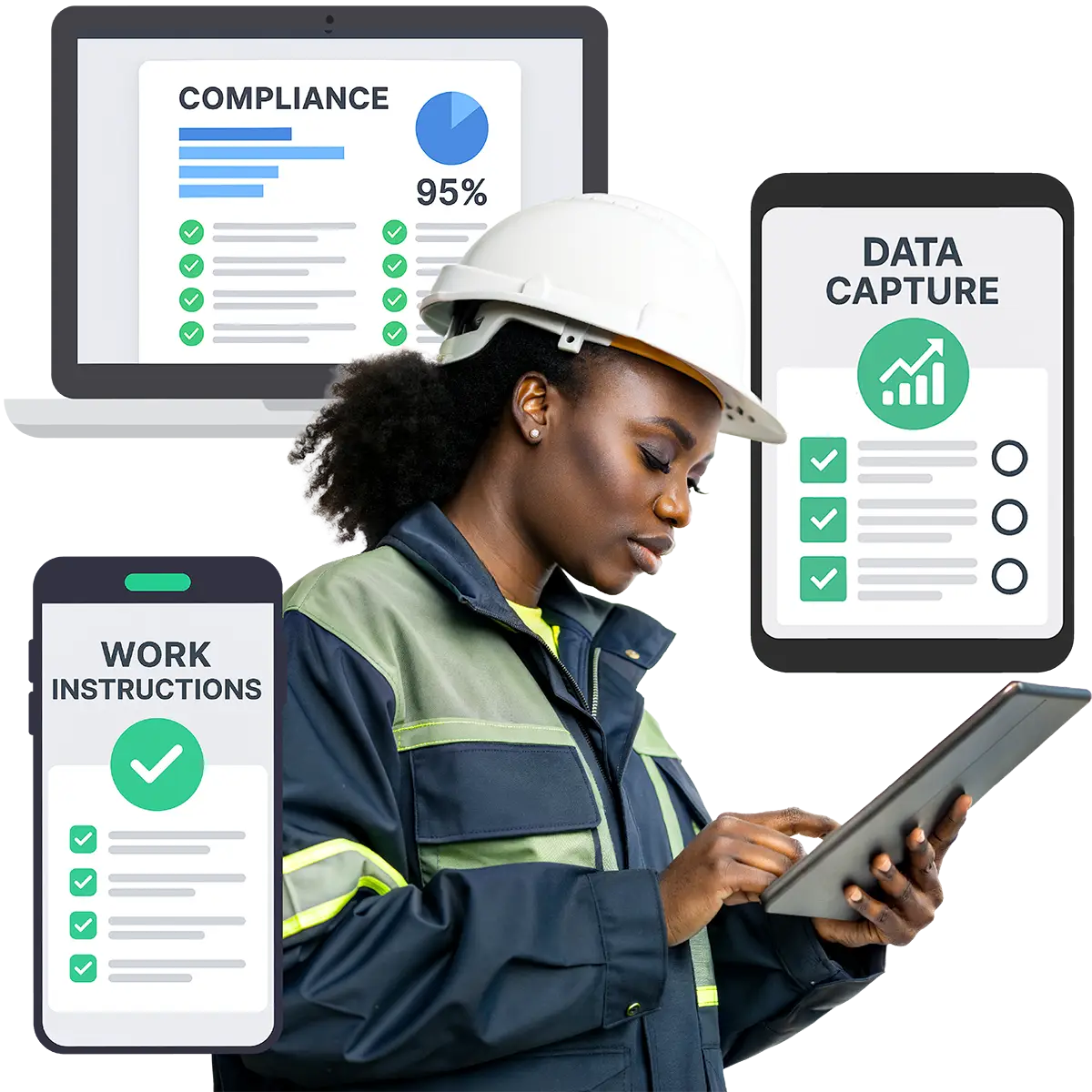
WorkfloPlus closes that gap by turning your SOPs and procedures into clear digital work instructions, guiding work as it’s carried out and capturing evidence and operational data along the way.
Without that execution data, familiar problems are much harder to get ahead of:
Compliance audits mean pulling together evidence from different places
Process problems may only become visible after they’ve caused delays, defects or failures
Practical knowledge can leave with experienced people rather than becoming part of the process
Proving exactly how work was completed means chasing paperwork and records
Continuous improvement relies on incomplete information rather than reliable execution data
WorkfloPlus solves this. It gives you the missing layer between your planning systems and operational reality. So you can manage the work itself and capture reliable data directly from where it happens.
WorkfloPlus at a Glance
Create
Digital instructions from your existing SOPs and procedures.
Manage
Tasks, jobs, schedules, assignments and projects
Capture
Data, photos, video, signatures and evidence
Connect
ERP, CMMS, EAM, CRM, BI and APIs
Work Anywhere
Mobile, tablet, desktop, smart glasses, online or offline
Use AI
AI-assisted process creation and translation
Deploy Your Way
Cloud, private deployment or on-premise
Stay in Control
ISO 27001-certified information security
Turn Your Procedures Into Digital Guidance People Can Follow
Create and manage digital work instructions
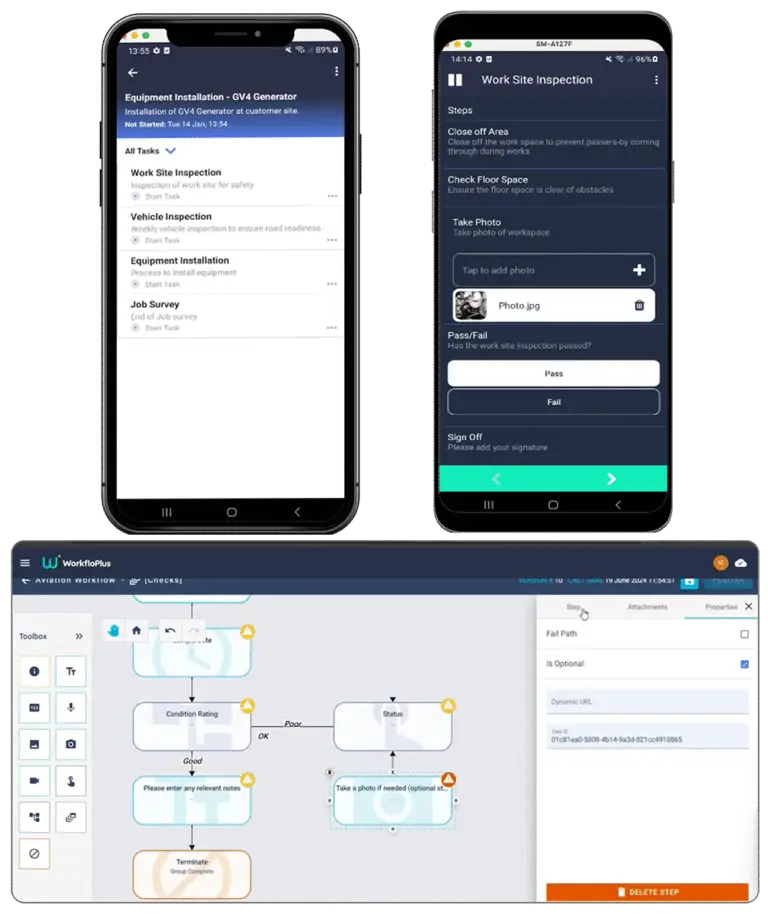
Your SOPs and procedures define how work should be done. WorkfloPlus turns that knowledge into clear, step-by-step digital work instructions people can follow at the point of work.
Start with an existing procedure, use a template or build something new with the help of AI. Add text, images, video, documents and checks so the information people need is there when they need it.
For work that doesn’t always follow the same path, conditional steps can adapt the instructions based on what’s happening during the job. And when something changes, you can update the instructions centrally and maintain version control. So the latest approved processes are available without replacing printed copies or tracking down old PDFs.
Existing procedures • Templates • Multimedia • Conditional steps • Version control
Plan, Schedule and Manage The Work
The right job, with the right person, at the right time
WorkfloPlus gives you a clear way to manage the work that needs to happen, whether it’s a one-off task, a regular inspection or recurring maintenance.
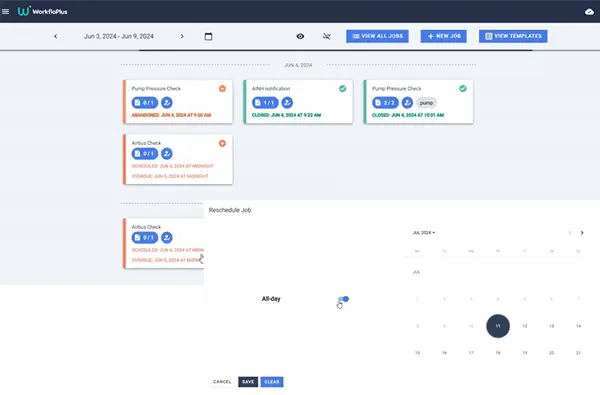
Create individual tasks and bring multiple tasks together into a job when you need to. Schedule the work, decide who should carry it out, set due dates and see what’s planned, in progress or complete. Add the information people need along the way, with review or sign-off included where required.
Manage Complex Work In One Project
Manage phases, jobs and dependencies
When the work involves more than a single job, Projects in WorkfloPlus is a way to bring it all together.
Break larger pieces of work into phases and jobs, set dependencies where activities need to happen in a particular order and see the critical path where timing matters.
Project dashboards give you an at-a-glance view of progress, including how many jobs have been completed, while a final sign-off job can provide formal review or approval at the end.
You can see how the work is progressing at project level while retaining the instructions, evidence and records associated with each individual job.
Projects • Phases • Tasks • Dependencies • Critical path • Progress • Sign-off
Capture Reliable Data at the Point of Work
The data is collected as the job is completed
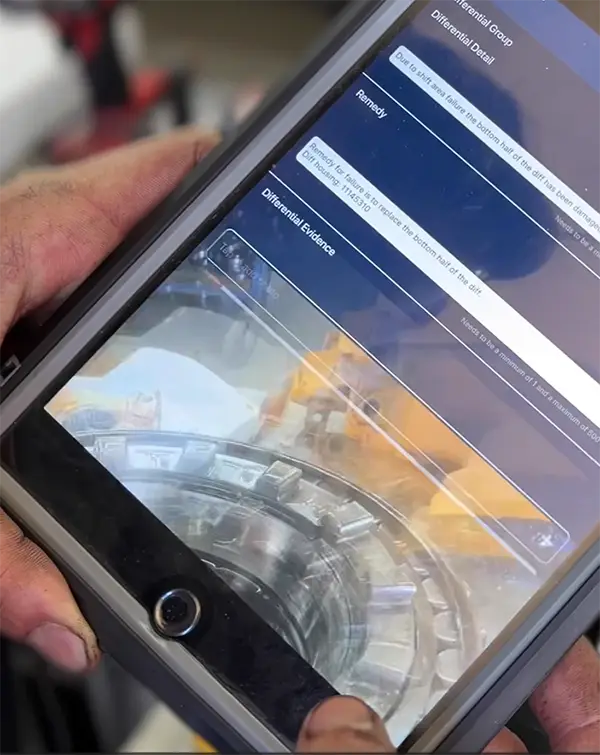
Instead of completing the work first and documenting it afterwards, WorkfloPlus lets you capture information and evidence as part of the job itself.
Record measurements and responses, take photographs or video, capture signatures, timestamps and location information, and collect the evidence you need when it happens.
Because that information is captured in context, you know which job it came from, which part of the process it relates to and when it took place.
By the time the work is complete, you already have a traceable record of what was done and structured data directly from the work itself.
Measurements • Responses • Photos • Video • Signatures • Timestamps • Location • Proof of work
Find an Issue. Follow It Through.
Log the problem, the evidence and the action
When something isn’t right, logging it is only the beginning.
Record an issue where it’s identified, add the information and evidence needed to understand what happened, and track the action taken through to resolution.
Keeping that information connected gives you a clear history of the issue from the point it was first identified to the action taken to solve it. If the same problem appears again, you have the context and evidence to support further investigation or corrective action.
Identify → Record → Assign → Track → Resolve
A Reliable Audit Trail for Every Completed Task
Each completed job generates a report containing the information and evidence captured while the work was carried out.
We can also work with you to produce reports that meet specific company, industry or regulatory requirements, so the finished record reflects the way your work needs to be documented.
At the same time, the information captured during the job becomes structured work execution data. So you get more than a completed report. You also build a reliable source of data from the work itself.
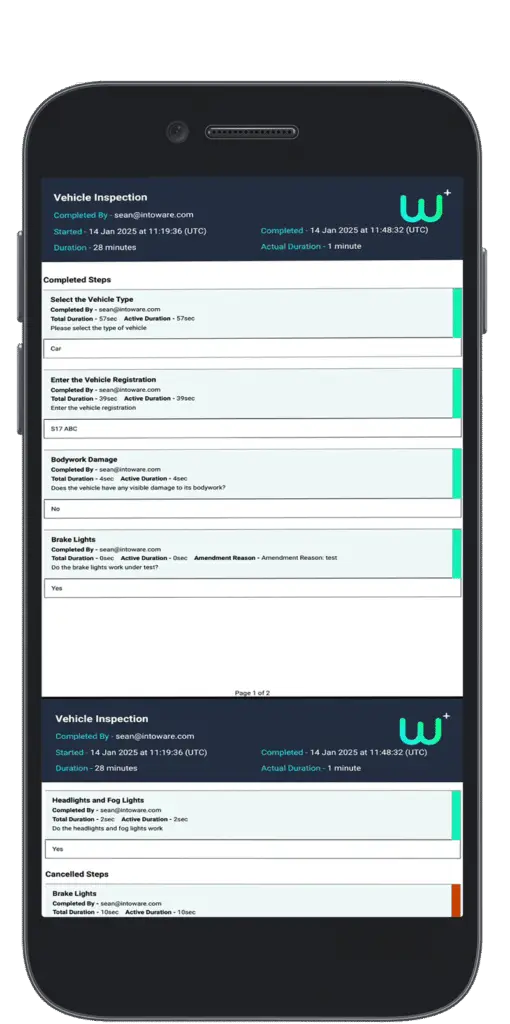
Job reports • Job review • Audit trails • Report stitching • Evidence history
Put Your Work Execution Data to Work
Capture it once. Use it to gain insight.
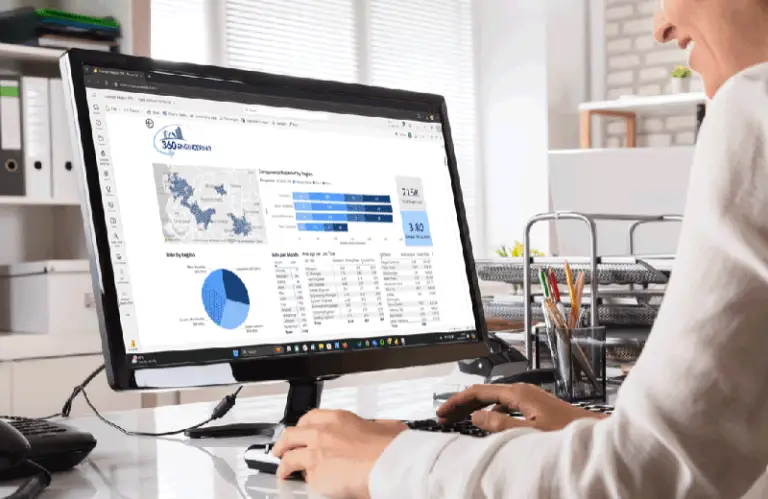
WorkfloPlus captures structured information directly from operational work, giving you reliable data at source rather than relying on paper records, disconnected spreadsheets or information entered after the event.
Connect that data with reporting and analytics tools to explore patterns across completed work, compare results over time and investigate recurring issues, delays or bottlenecks.
That’s where work execution data can provide a wider view of operational performance, providing stronger evidence for continuous improvement and the decisions you make next.
Use AI to Get Started Faster
AI can reduce the time it takes to get started with WorkfloPlus without replacing the knowledge of the people who understand how the job should be done.
FloGenAI
Describe the process you want to digitise and FloGenAI can produce a first draft of the instructions.
Review the steps, make changes and add your own practical knowledge, supporting information and controls before anything is published.
AI-Assisted Translation
When the same instructions need to be understood in different languages, AI-assisted translation can help make centrally managed content available without maintaining separate versions manually.
You keep control of the source instructions while making them easier for people to understand in the language they need.
AI-assisted creation • Human In the Loop • Translation • Centrally managed instructions
Work Wherever the Job Takes You
Use the device that suits the work
WorkfloPlus can be accessed across mobiles, tablets, desktops and industrial smart glasses, so people can use the right device for the job in front of them.
Offline working means instructions remain available and information can still be captured where connectivity is limited or unavailable, then synchronised when a connection is restored.
For work where people need to keep their hands free, supported industrial smart glasses can provide access to instructions and information without taking them away from the task.
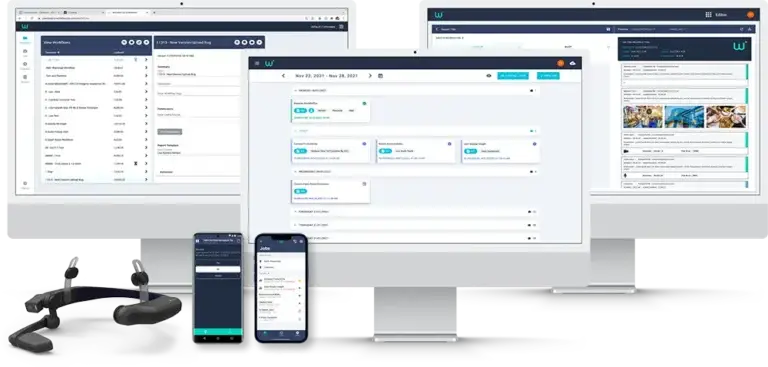
Mobile • Tablet • Desktop • Smart Glasses • Online • Offline
Connect Work Execution With Your Wider Systems
Bring your systems closer to the work itself.
WorkfloPlus can be used as a standalone platform, but it’s also been designed to work alongside the systems you already use.
Connect with ERP, CMMS, EAM, CRM and other business systems so information can move between your existing technology and the people carrying out the work.
Job details and other relevant information can reach the point of work, while the data captured during work execution can flow back into the systems that need it.
WorkfloPlus can integrate with platforms including SAP, IBM Maximo, Salesforce and Power BI, with APIs available for wider integration requirements.
ERP • CMMS • EAM • CRM • BI • APIs
Deployment That Fits Your Requirements
Choose the deployment that fits your environment
WorkfloPlus is hosted through Microsoft Azure as standard, with private deployment and on-premise options available where you need greater control over your environment or data.
Intoware is ISO 27001 certified. Access controls, version management and traceable operational records help you maintain control over the processes and data held within WorkfloPlus.
Microsoft Azure • Private Deployment • On-Premise • ISO 27001
WorkfloPlus Pricing
Essentials (from) £30/$40/€35 mo*
Everything you need to start digitising repeatable work, give people clear instructions and capture reliable data as jobs are completed.- Unlimited Usage
- Multiple Devices
- Data Caputure & Notifications
- Standard Templates
- Offline Working
- Instant Reports
Enterprise
Request a quote
- Customisable Reports
- Procedure creation support
- BI & Analytics Integrations
- Enterprise Integrations
- Enhanced Security Options
- Additional deployment Options
What could better work execution be worth to you?
Explore how improvements in productivity, reporting and operational efficiency could translate into measurable value.
WorkfloPlus by Intoware FAQs
Our most commonly asked questions. If yours isn’t here, get in touch!
Can I use my existing SOPs and work instructions?
Can WorkfloPlus schedule and manage jobs?
Can WorkfloPlus manage larger projects?
Yes. Projects in WorkfloPlus let you organise related work into phases and individual jobs, with dependencies and critical path visibility where the order and timing of work matter. Project dashboards give you an at-a-glance view of progress, including how many jobs have been completed.
What data and evidence can WorkfloPlus capture?
WorkfloPlus can capture responses, measurements, photographs, video, signatures, timestamps, location data and other evidence while work is being carried out. That information stays connected to the relevant job and step, creating a traceable record of the work.
Can I track issues in WorkfloPlus?
What reporting is available in WorkfloPlus?
Can I analyse work execution data in WorkfloPlus?
WorkfloPlus captures structured data directly from the work as it happens, giving you a reliable source of frontline execution data rather than relying on paperwork, spreadsheets or information entered after the event.
Within WorkfloPlus, you can review completed jobs, reports and project progress. For deeper analysis, you can connect your work execution data with business intelligence tools such as Power BI to explore performance, identify recurring issues, compare results over time and uncover opportunities for improvement.
Can WorkfloPlus fit around the way we already work?
How does AI work in WorkfloPlus?
FloGenAI can generate a first draft of your digital work instructions from a description of the process. You can then review, edit and add your own operational knowledge before the instructions are published.
Can WorkfloPlus translate work instructions?
Can WorkfloPlus integrate with the systems I already use?
Does WorkfloPlus work offline?
What devices can I use WorkfloPlus on?
Where is WorkfloPlus hosted?
Is WorkfloPlus secure?
How much does WorkfloPlus cost?
WorkfloPlus starts from £30 / $40 / €35 per user, per month. Enterprise pricing depends on your requirements, including integrations, reporting, security and deployment.
Can I try WorkfloPlus before buying?
Do the Job. Track the Work. Trust the Results.
WorkfloPlus helps you manage how work is carried out and capture reliable data while it’s happening. Connect that frontline execution data with your wider systems and you have a stronger foundation for understanding performance, making better decisions and improving what happens next.
See WorkfloPlus
Book a demo using your own processes and see how WorkfloPlus can support work execution and data capture.
Let's Talk
Tell us your requirements and we'll show you how WorkfloPlus can fit around your existing processes, systems and operational needs.
Try WorkfloPlus
Prefer to test it yourself? Start a free trial and use WorkfloPlus with one of your own processes before deciding what comes next.