
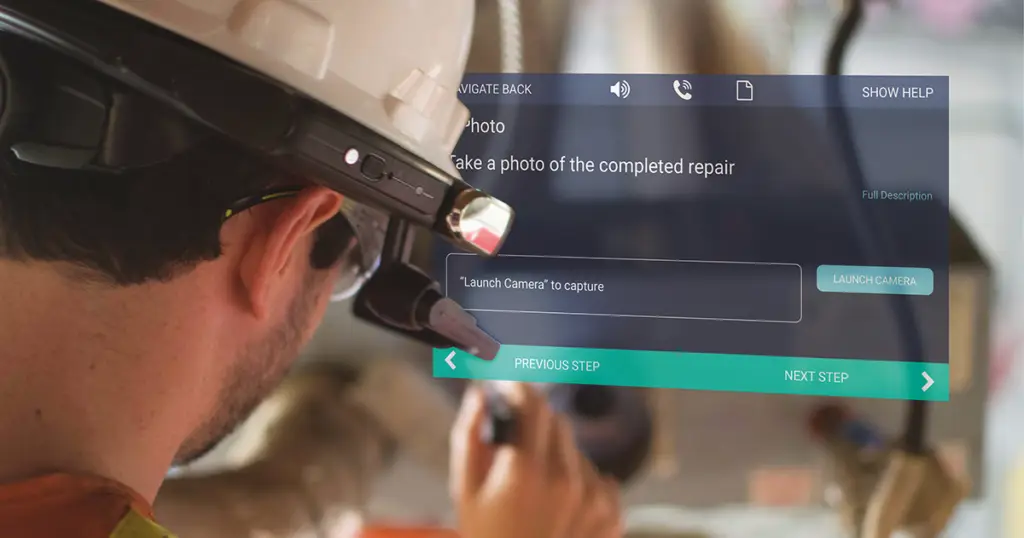
Unlock the Potential of Your RealWear Smart Glasses with WorkfloPlus
Turn your RealWear smart glasses into a complete connected worker solution, giving frontline workers hands-free access to the instructions, information and support they need while the work is being carried out.
WorkfloPlus guides people through digital work instructions, inspections, maintenance, compliance and training. While letting them see scheduled work, access supporting information, capture evidence and report issues as they happen.
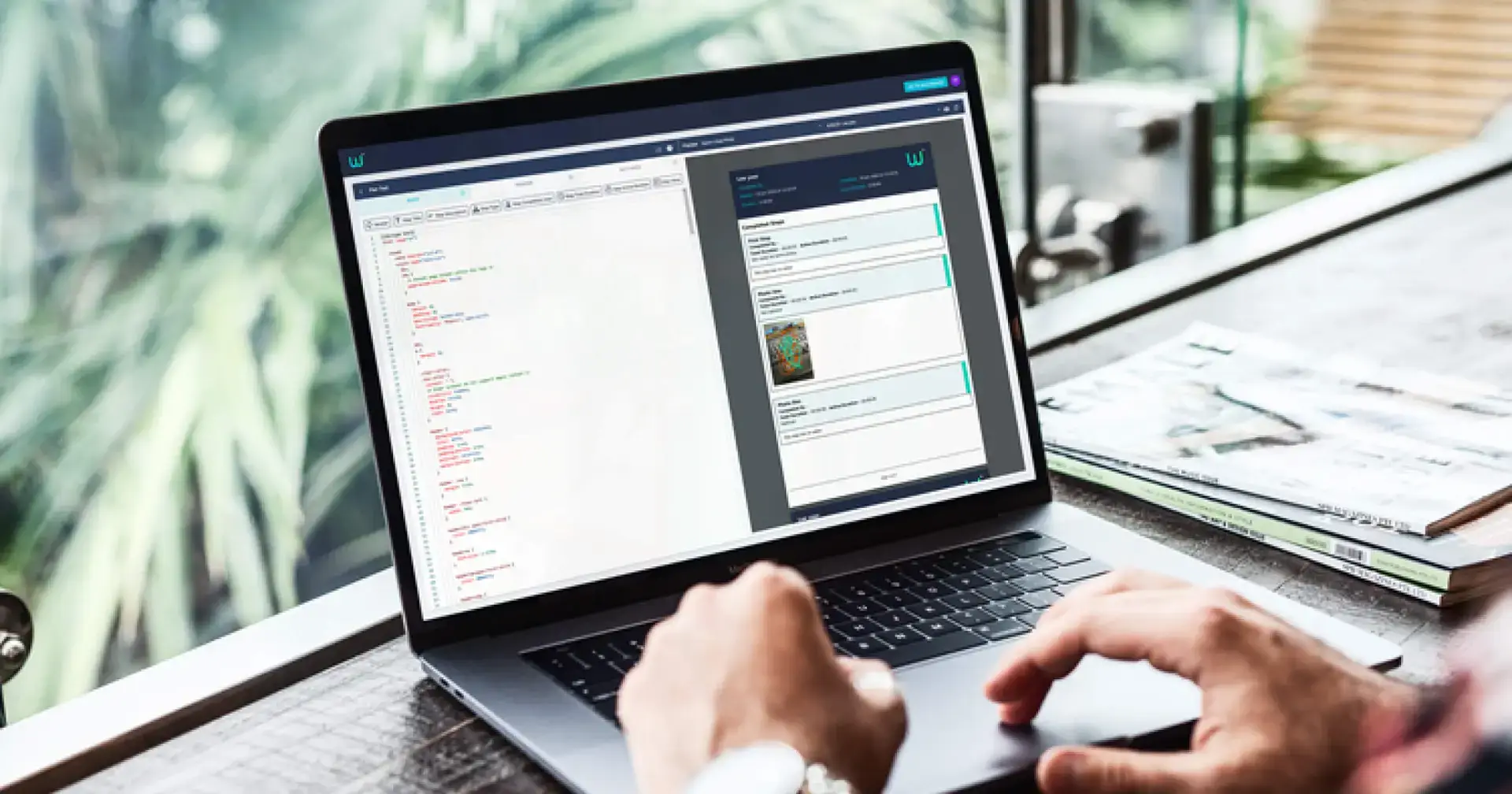
Back in the office, you can create, schedule and assign work, manage larger projects, see progress and issues, and use the data captured during each job for reporting, compliance and continuous improvement.
See WorkfloPlus on RealWear in Action
WorkfloPlus brings the work directly to the person wearing the device, with clear guidance, access to job information and evidence capture all available hands-free.
Go Beyond Remote Support
RealWear smart glasses are often introduced to connect frontline workers with remote experts. But that is only one way to use them.
With WorkfloPlus, the same device becomes part of how everyday work is carried out. You can send planned work directly to the frontline, guide people through it step by step and capture the information you need while the job is actually happening.
That makes RealWear useful across digital work instructions, inspections, maintenance, compliance checks, training and other repeatable work where stopping to use paperwork, a phone or a tablet is not practical.
“Our ongoing partnership with RealWear ensures that the connected worker can be at the forefront of driving productivity and provide real ROI benefits – WorkfloPlus is THE original ‘designed for Realwear devices’ workflow solution. The combination is already driving over 250% productivity improvements to one of our mutual customers” Keith Tilley, CEO, Intoware
Everything They Need, Right in Their Line of Sight
WorkfloPlus keeps the RealWear experience simple, while giving frontline workers the guidance, information and tools they need to complete work correctly without stopping to reach for another device.

See What Needs Doing
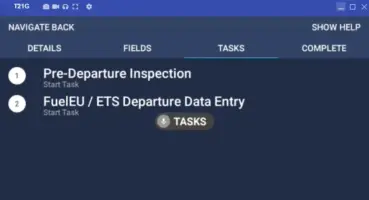
View assigned and scheduled work, with related tasks grouped together within a job so it is easier to see what needs completing and when.
Follow Clear Guidance
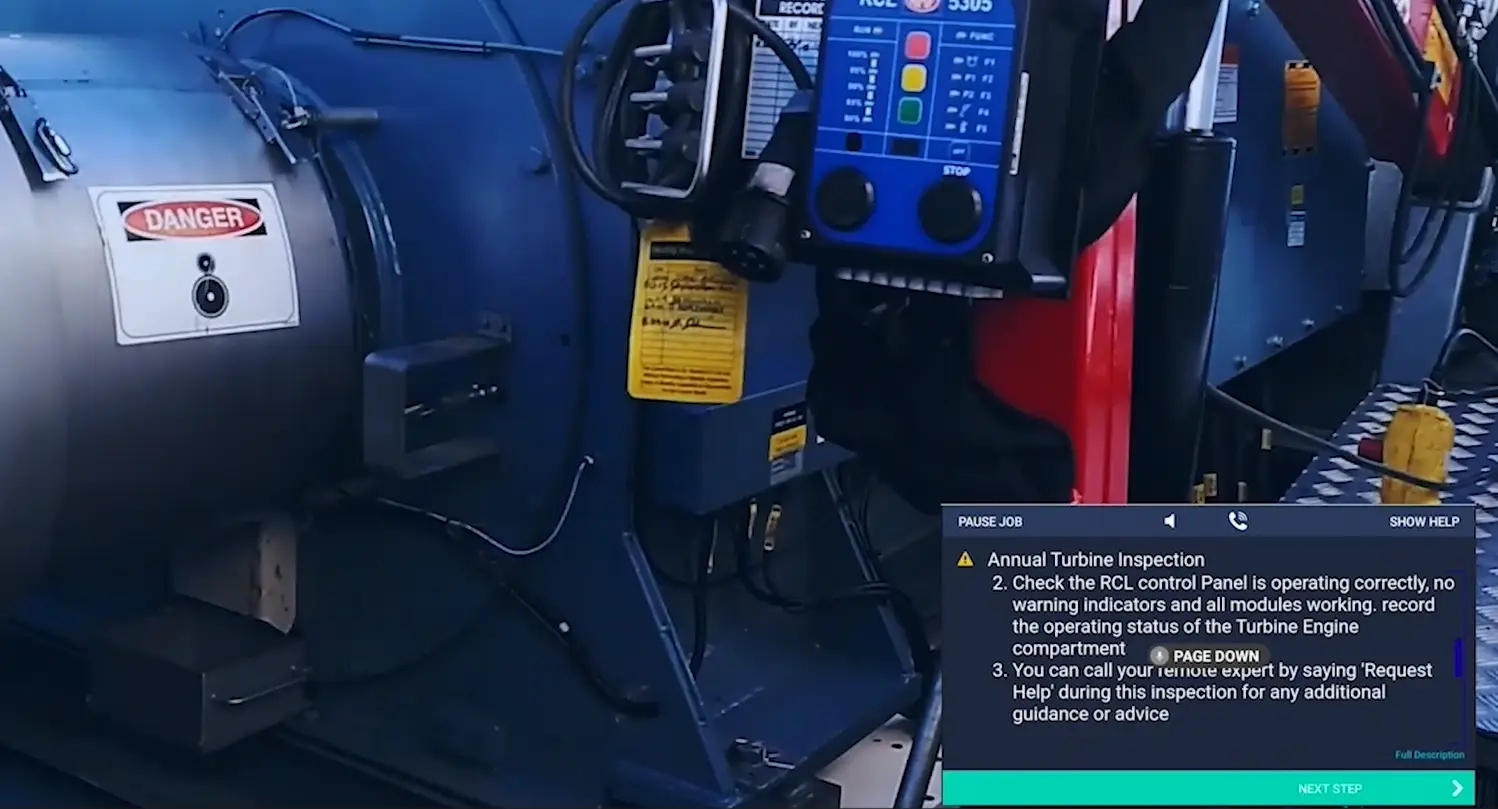
Work through step by step digital work instructions, checks and required actions while the task is being carried out.
Access the Right Information
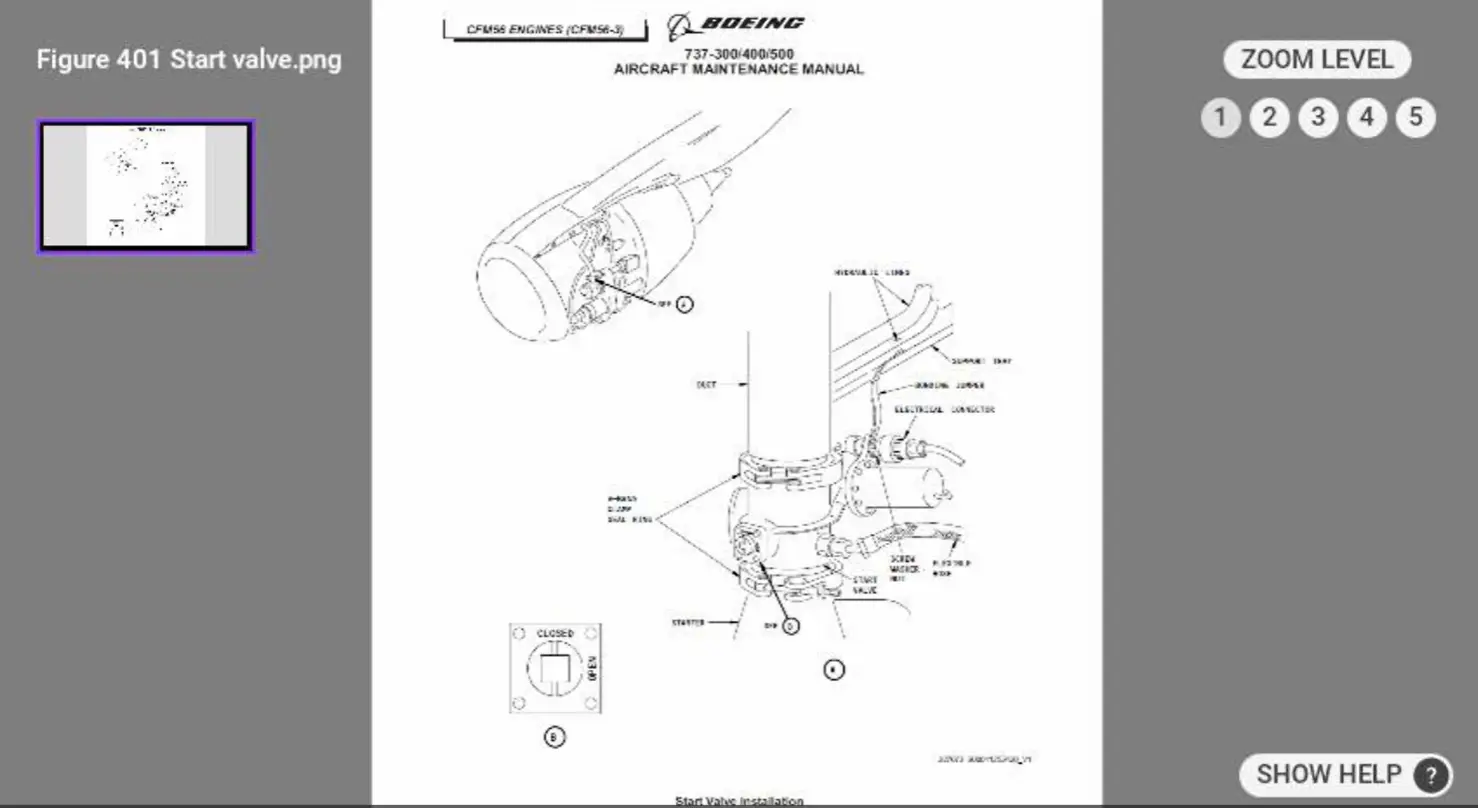
Open supporting documents, translated instructions and other information when more detail or context is needed during the job.
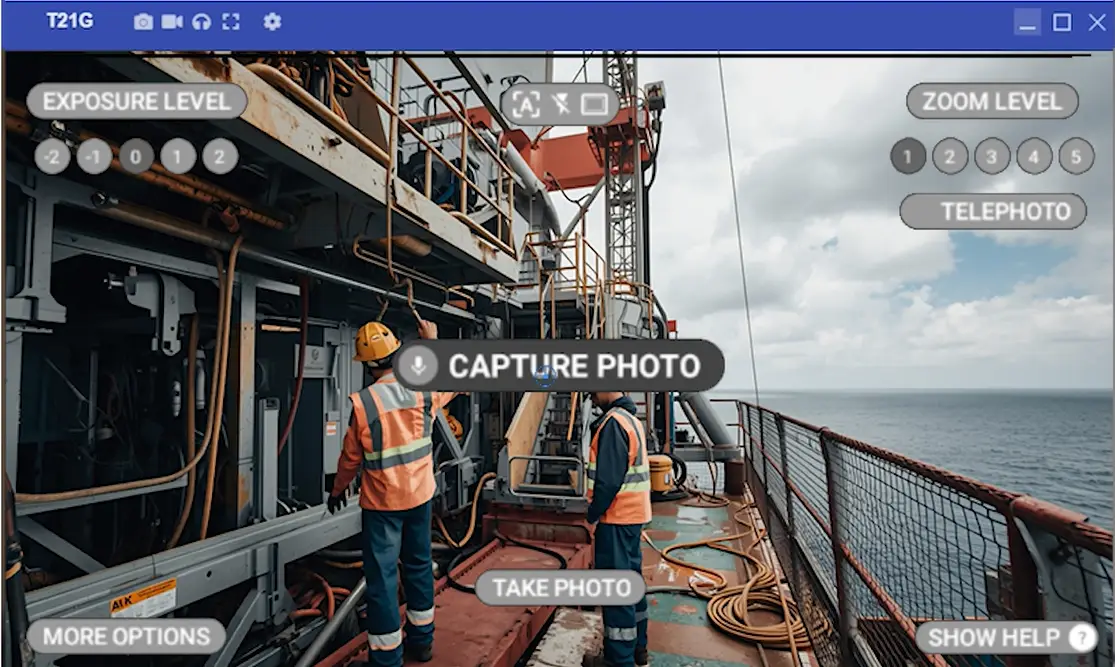
Capture Evidence as You Work
Record photos, video, notes, measurements, signatures and other evidence as part of the process rather than trying to capture it afterwards.
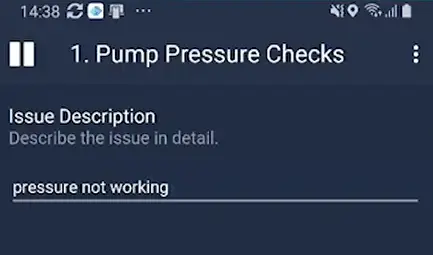
Report Issues There and Then
Log problems as soon as they are found, with the information and evidence needed for someone in the office to review and follow up.
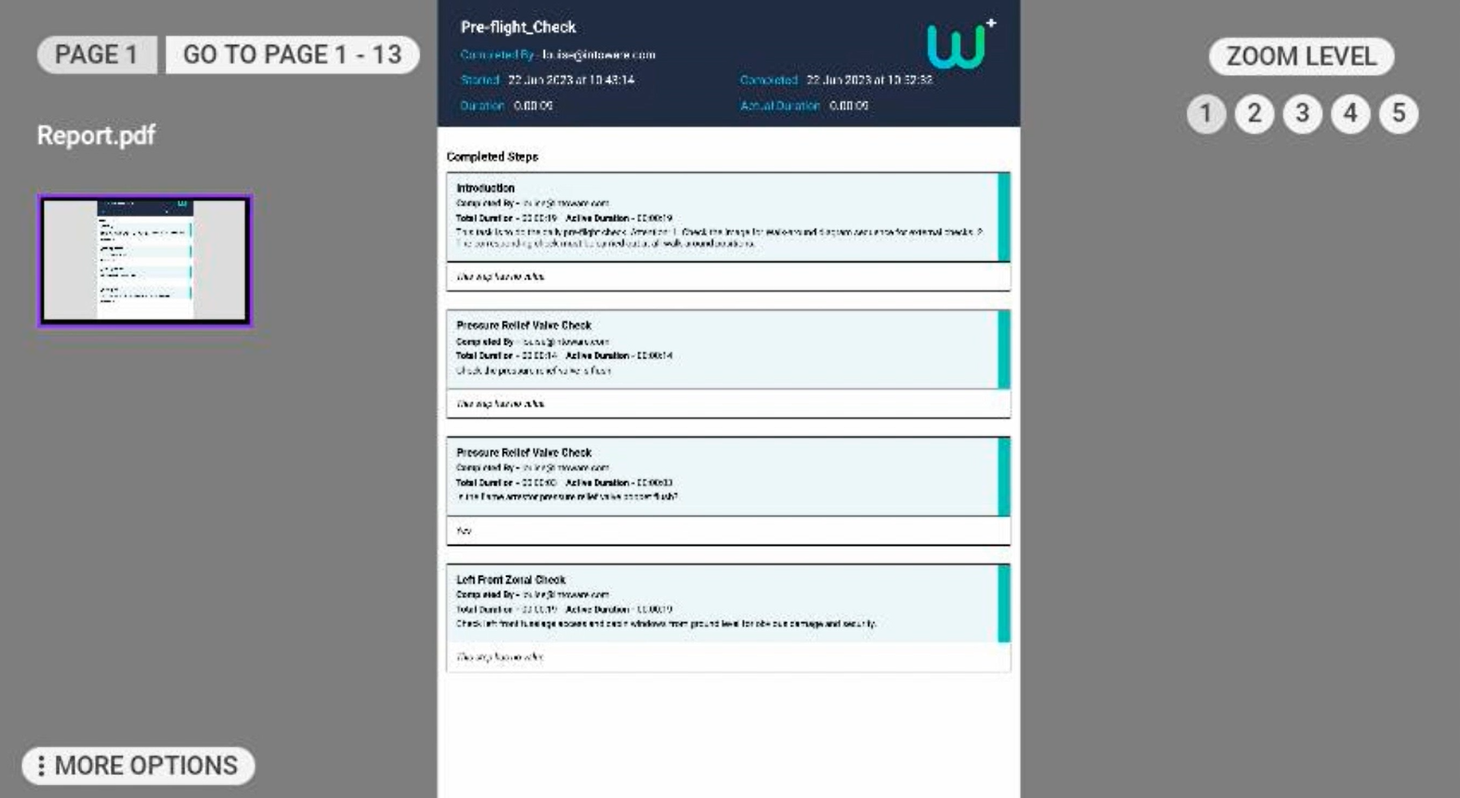
View Completed Job Reports
Access completed job reports directly on RealWear, so you can see what was done and the information captured during previous work.
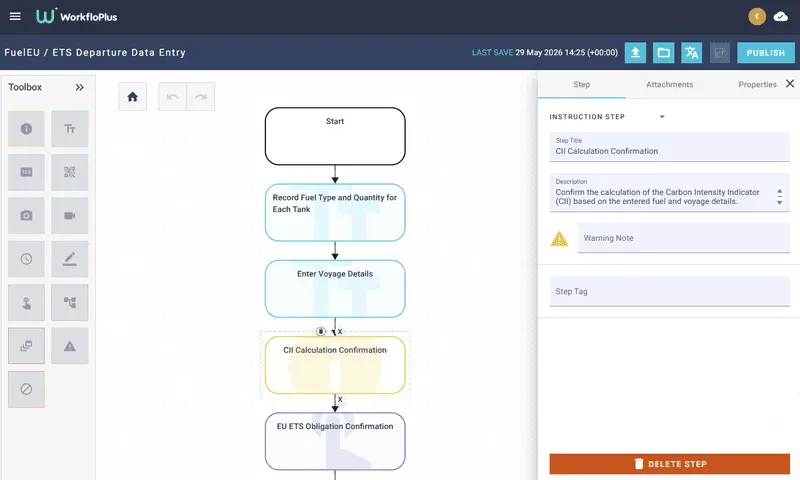
More Control Back in the Office
While frontline workers focus on the job in front of them, WorkfloPlus gives you the tools to create, plan, manage and review the work from the office.

Create Work Faster
Build digital work instructions in the Editor, use AI to create a first draft, or turn existing procedures into step by step guidance.
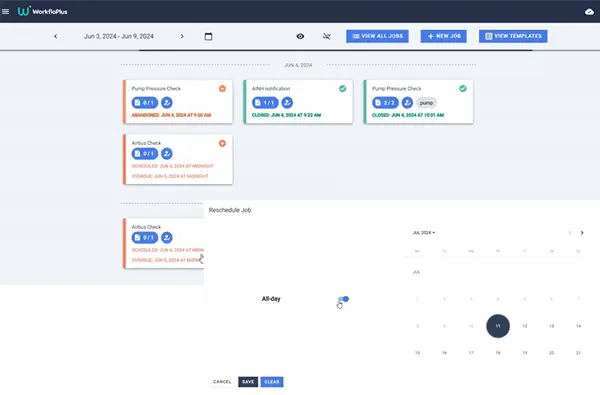
Schedule and Assign Work
Create one-off or recurring work, assign it to the right people, set due dates and see what is coming up.
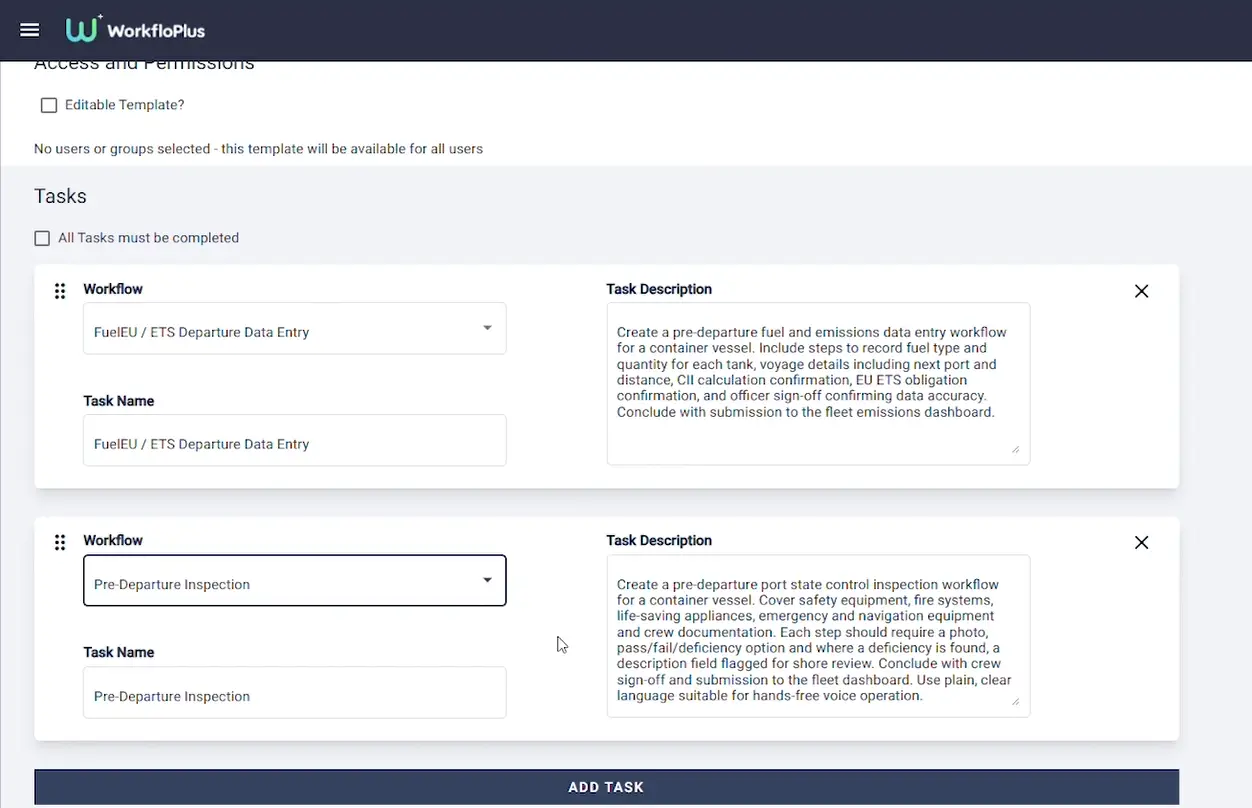
Manage Jobs More Easily
Group related tasks together within a job, making it easier to plan, assign and keep track of larger pieces of work.
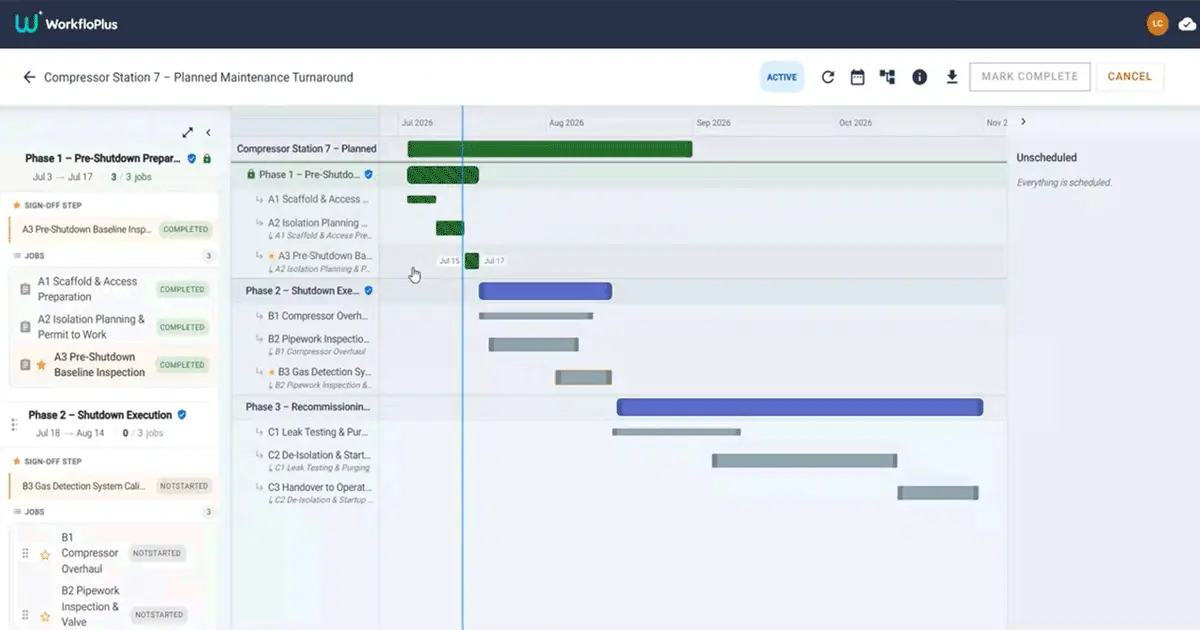
Organise and Track Larger Projects
Bring jobs together into project phases, manage schedules and responsibilities, and see how the wider project is progressing.
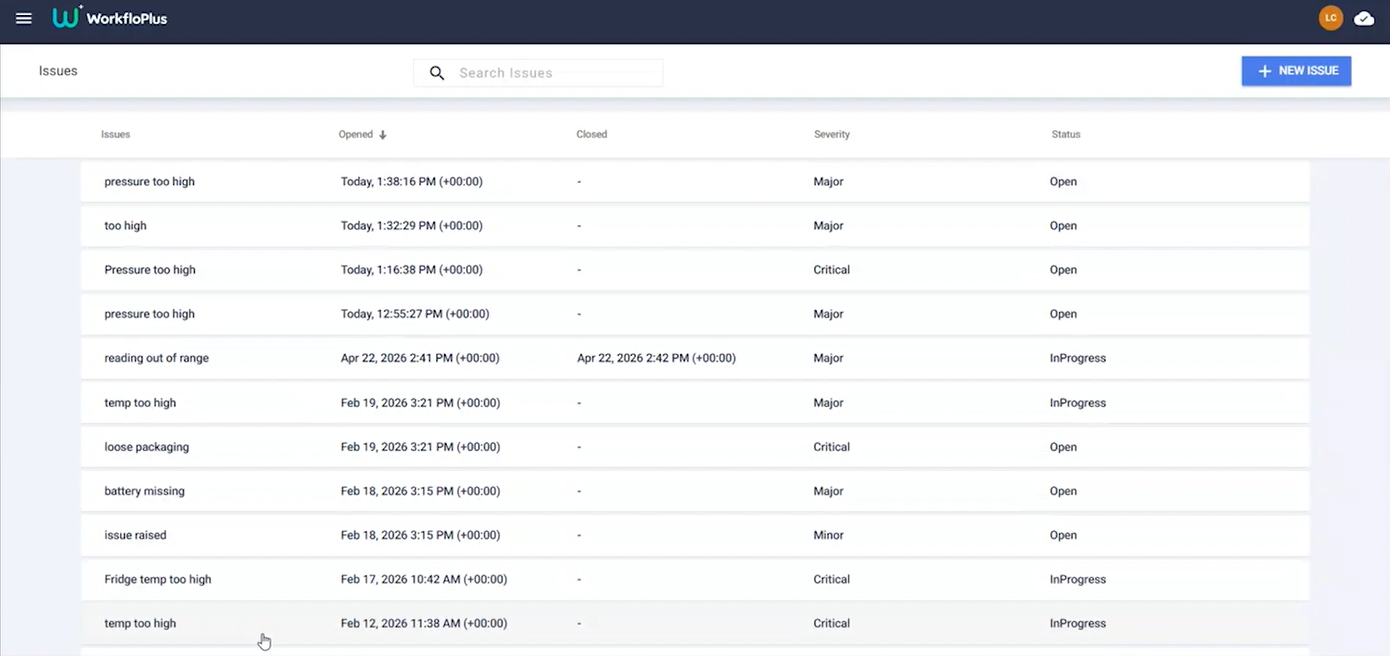
See Issues and Completed Work
Review issues raised in the field, completed jobs and the evidence captured during each job without chasing for separate upreportdates.
Use the Data Afterwards
Use the information captured during work for reporting, compliance and continuous improvement, including spotting recurring issues and process trends.
When Hands Free Working Makes Sense
Not every job needs smart glasses.
WorkfloPlus can be used across mobile, tablet, desktop and RealWear, so you can choose the device that best suits the work being carried out.
For some jobs, a phone or tablet will be the simplest option. But when someone needs both hands for the task, is wearing PPE or is working somewhere that makes reaching for another device impractical, RealWear keeps the information they need directly in their line of sight.
You still get the same WorkfloPlus platform behind it, with a hands free experience where it adds the most value.
Built for RealWear from the Beginning
Intoware and RealWear have worked together since 2015, with WorkfloPlus developed around the needs of people using wearable technology in industrial environments.
The RealWear experience has been designed around simple, voice controlled use, making it easier to access information, follow guidance and capture evidence without taking your hands away from the work.
In 2025, Intoware and RealWear strengthened that long standing relationship with a strategic partnership focused on combining RealWear technology with WorkfloPlus to better connect and support frontline workers.
“RealWear and Intoware have partnered to develop a premiere hands-free digital workflow solution, 100% optimized for voice, that helps reduce errors on the job while maintaining full situational awareness. Together, we’re transforming the industrial workforce while enabling data-driven continuous improvement.” Chris Parkinson, CTO, RealWear
WorkfloPlus for RealWear FAQs
What is WorkfloPlus for RealWear?
WorkfloPlus is a connected worker platform that runs on RealWear smart glasses. It gives frontline workers hands free access to digital work instructions, scheduled work and supporting information, while allowing them to capture evidence and report issues as the work is carried out.
Back in the office, WorkfloPlus provides the tools to create, schedule, assign, manage and review that work.
What can you use RealWear smart glasses for with WorkfloPlus?
WorkfloPlus can be used on RealWear for digital work instructions, inspections, maintenance, compliance checks, training and other repeatable work.
Frontline workers can see assigned work, follow step by step guidance, access supporting information, capture evidence, report issues and view completed job reports directly from the device.
Can RealWear be used for digital work instructions?
Yes. WorkfloPlus delivers step by step digital work instructions directly through RealWear smart glasses, allowing someone to follow guidance while keeping their hands free for the task.
Instructions can include required checks, supporting information and evidence capture so the process and the information collected during it stay connected.
Can WorkfloPlus manage scheduled work on RealWear?
Yes. Work can be scheduled and assigned through WorkfloPlus, with the person using RealWear able to see the work assigned to them and when it is due.
Related tasks can also be grouped within a job, making it easier to see the different tasks that make up a wider piece of work.
Can WorkfloPlus be used offline on RealWear?
Can WorkfloPlus create digital work instructions using AI?
Does WorkfloPlus only work on RealWear?
What is a connected worker solution?
Ready to Get More from RealWear?
Contact us today and discover how WorkfloPlus unlocks the full potential of RealWear technology!